Save it now.
Read it anywhere.
Squirrel Reader is a calm, offline-first home for everything you mean to read, watch, and listen to later — articles, newsletters, videos, and podcasts, stashed away like nuts for winter.
No ads. No algorithmic feed. No tracking. Just your reading.
Why Squirrel Reader
Save from anywhere
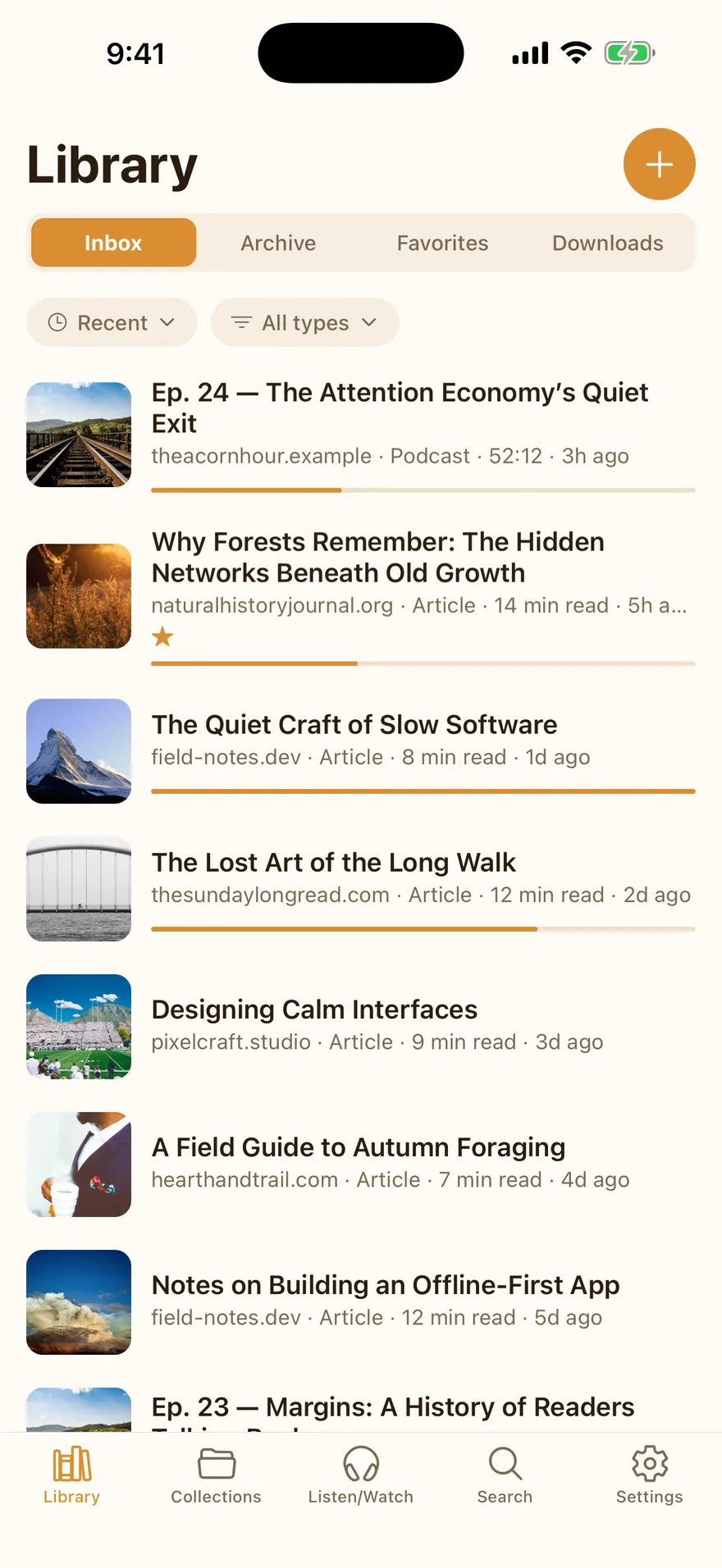
Share sheet on iOS, extension on Chrome, clipboard everywhere. One tap and it’s in your library, parsed and readable.
Read beautifully
A clutter-free reader with real typography controls, five themes, highlights, and paged mode. No ads, no noise.
Works offline
The library lives on your device. Subway, plane, or off the grid — everything works, and syncs when you’re back.
The reader is the product
Articles the way they were meant to be read
Every article you save is stripped of ads, pop-ups, and clutter, leaving clean, book-quality typography. Choose serif or sans, tune the size, line height, spacing, and margins, and pick from five reading themes — Light, Sepia, Gray, Dark, and True Black for OLED. Prefer page turns to scrolling? Switch to paged mode, with a two-page spread on iPad.
Make it yours
Highlight, annotate, and actually find it again
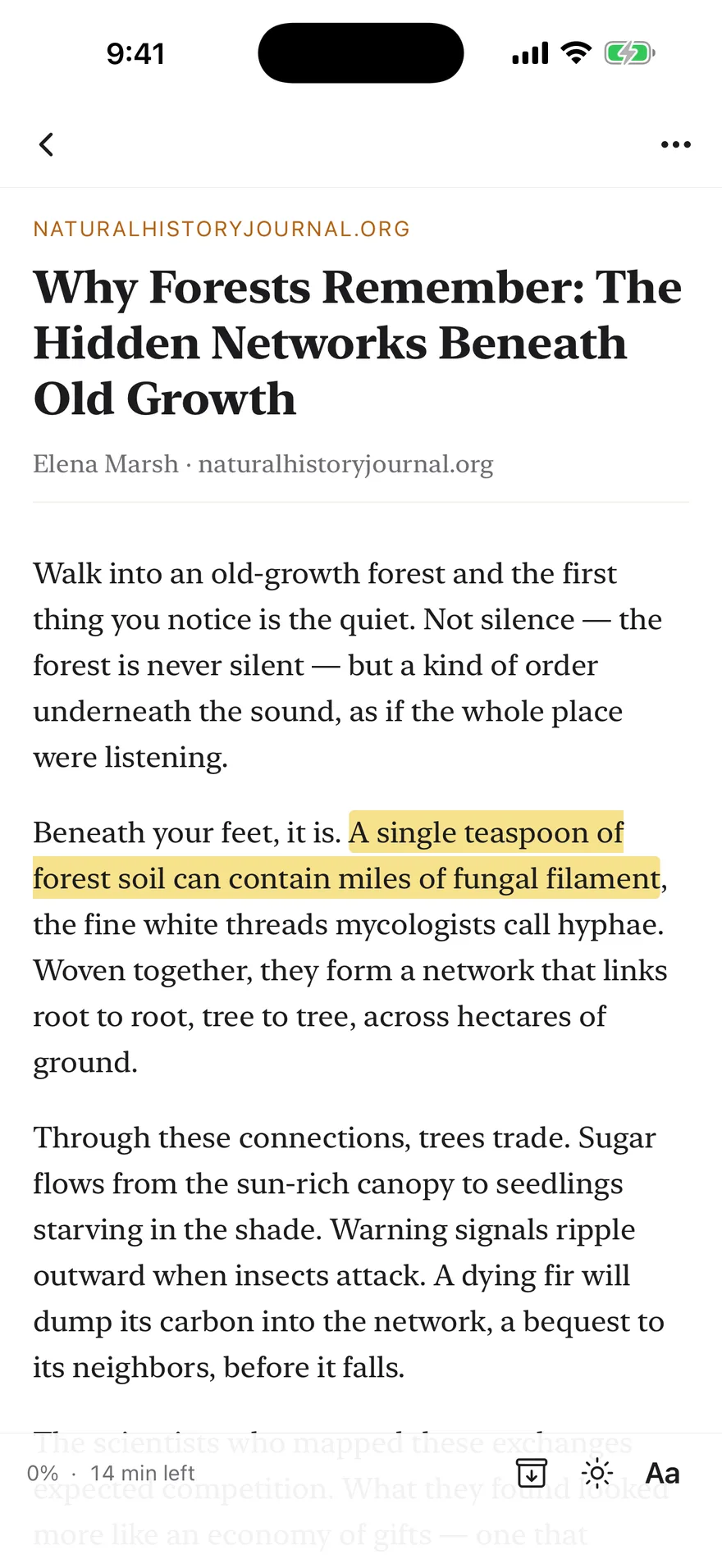
Select any passage to highlight it in one of five colors and attach a note. Highlights anchor to the text itself, so they survive font changes and re-parses, and sync to every device. The Highlights hub gathers every annotation across your library — filterable by collection or tag, and exportable as Markdown with Premium.
Offline is the default, not a mode
Your library works on the subway, on planes, off the grid
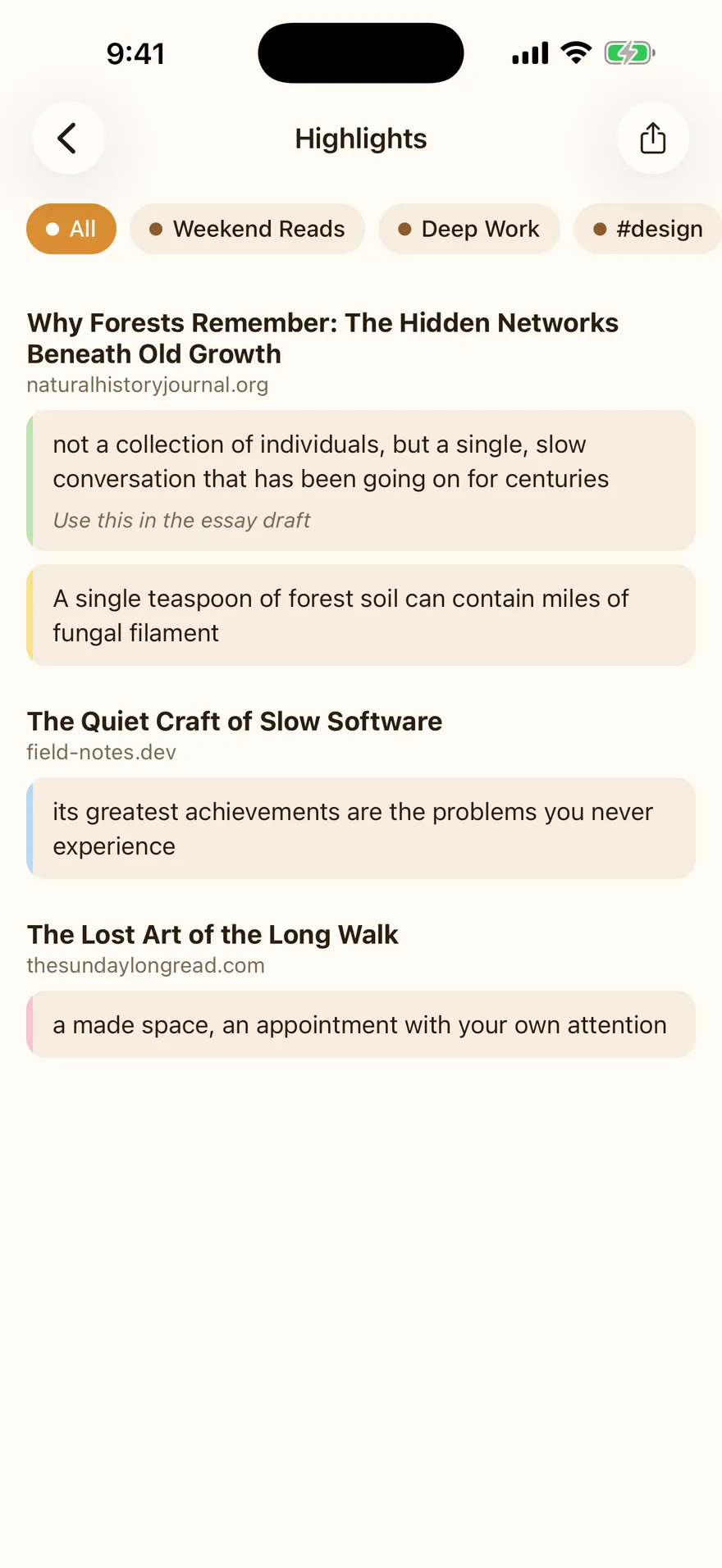
The entire library lives in a database on your device. Saving, reading, searching, tagging, and highlighting all work with zero connectivity — changes queue up and reconcile automatically when you’re back online. Reading progress merges forward-only, so the device that read further never loses your place.
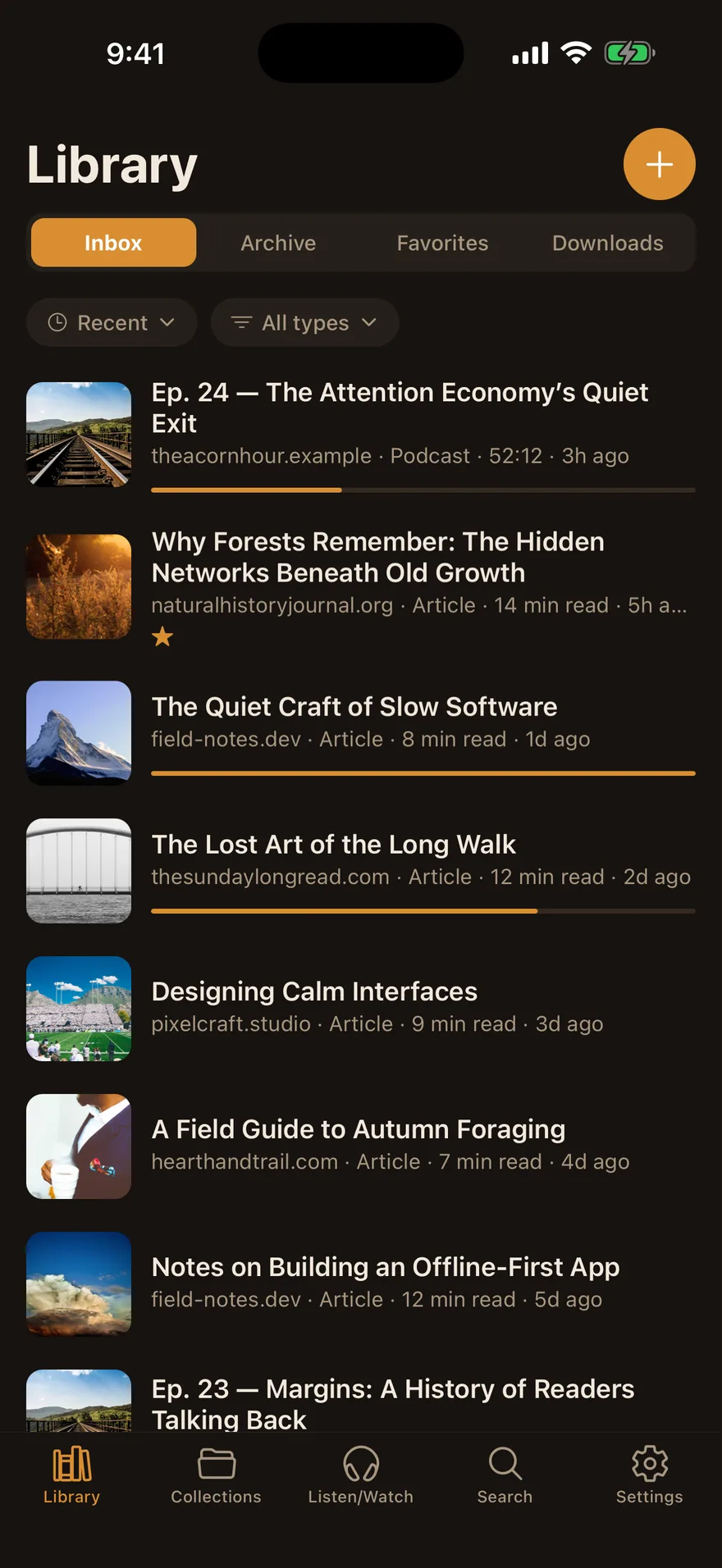
Listen & watch
A real podcast player, not an afterthought
Search the podcast directory or subscribe by RSS. Episodes download for offline listening, play in the background with lock-screen controls, and remember your position across devices. Adjust speed from 0.8× to 2×, set a sleep timer, read full show notes — and on iOS 26, transcribe any downloaded episode on-device, then search inside it and jump straight to a timestamp.
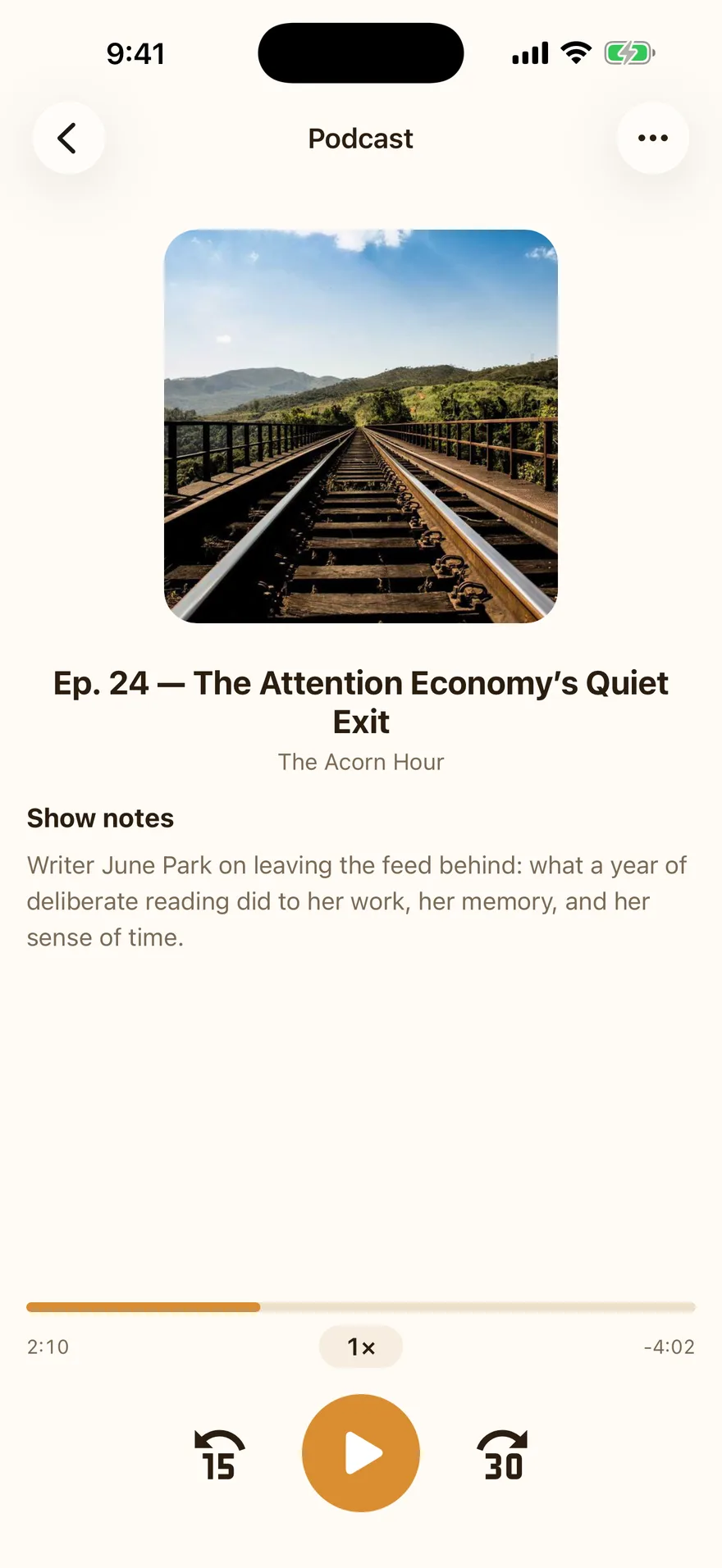
Subscribe, don’t scroll
RSS feeds and newsletters, on your own schedule
Subscribe to any blog, newsletter, or podcast by RSS in the Feeds tab. New entries arrive as tidy metadata you browse whenever you like — nothing clutters your inbox until you tap to add it. Prefer the old way? Flip a feed to auto-add and every new post or episode lands in your library automatically, the way podcast subscriptions always have. Either way a subscription files like anything else — tag it, collect it — and its newest entries surface right on Home.
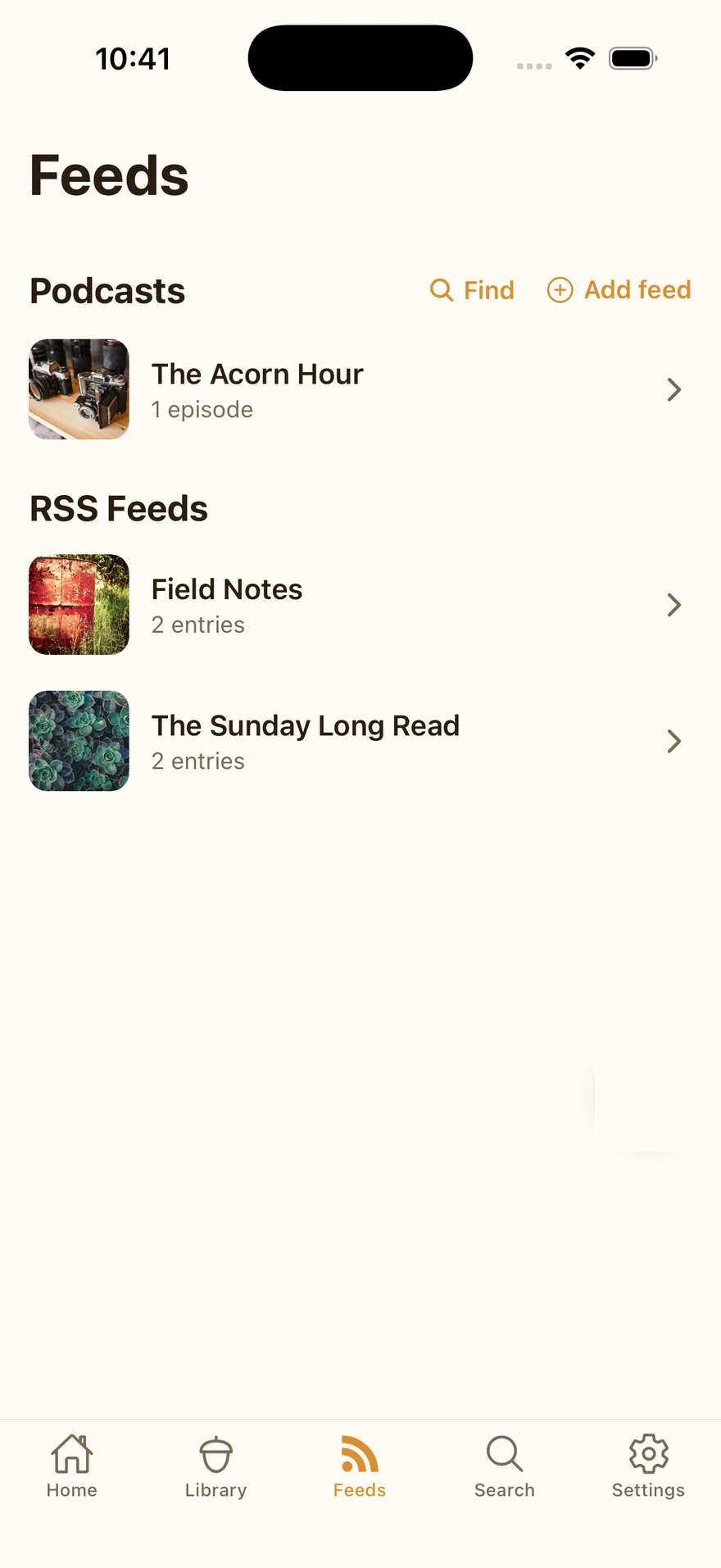
Instant recall
Search everything you’ve squirreled away — offline
Full-text search runs entirely on-device, so it’s instant and works with no connection. Search titles, authors, sources, notes, tags, and podcast transcripts on the free plan; Premium searches inside the complete text of every saved article, book, and PDF. Filter by type or state, with matched terms highlighted in context.
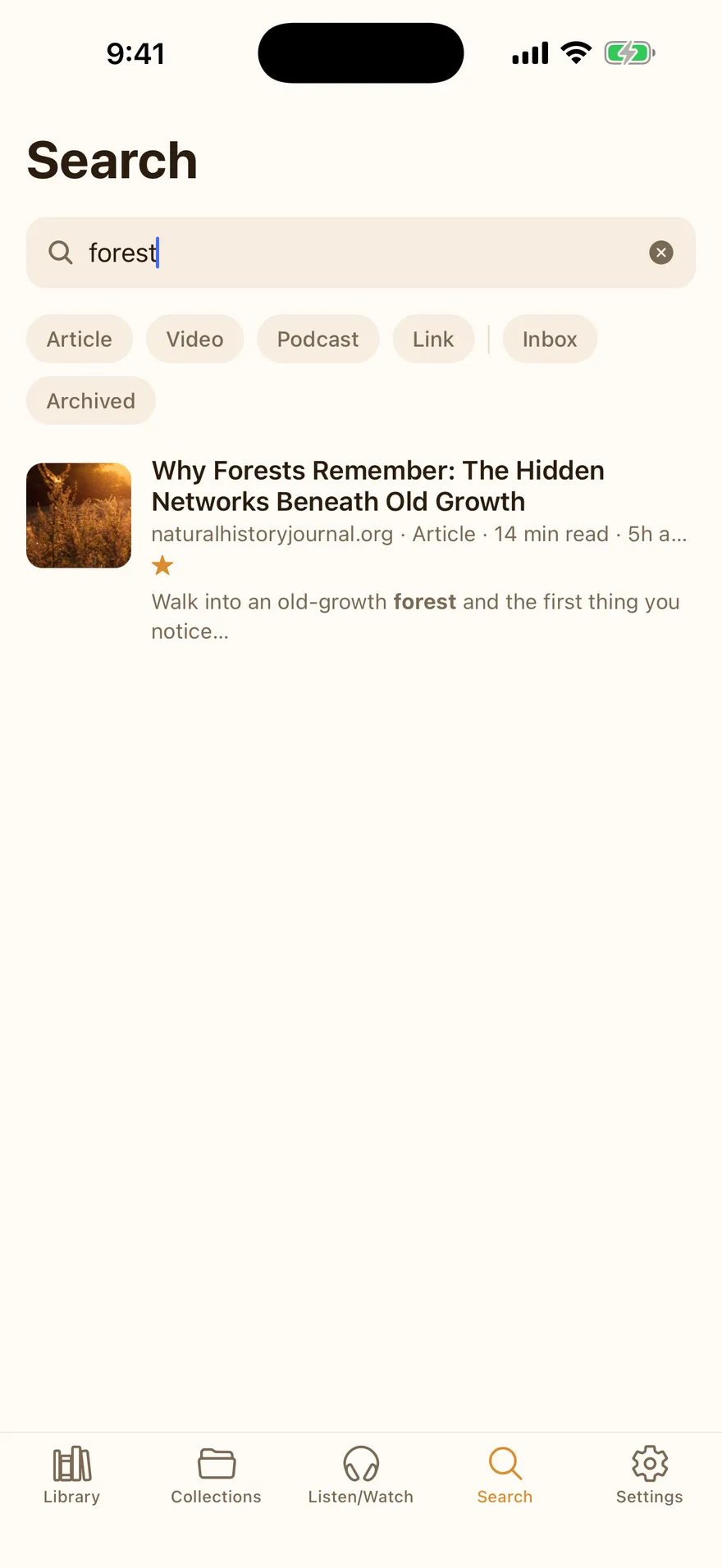
Yours, not generic
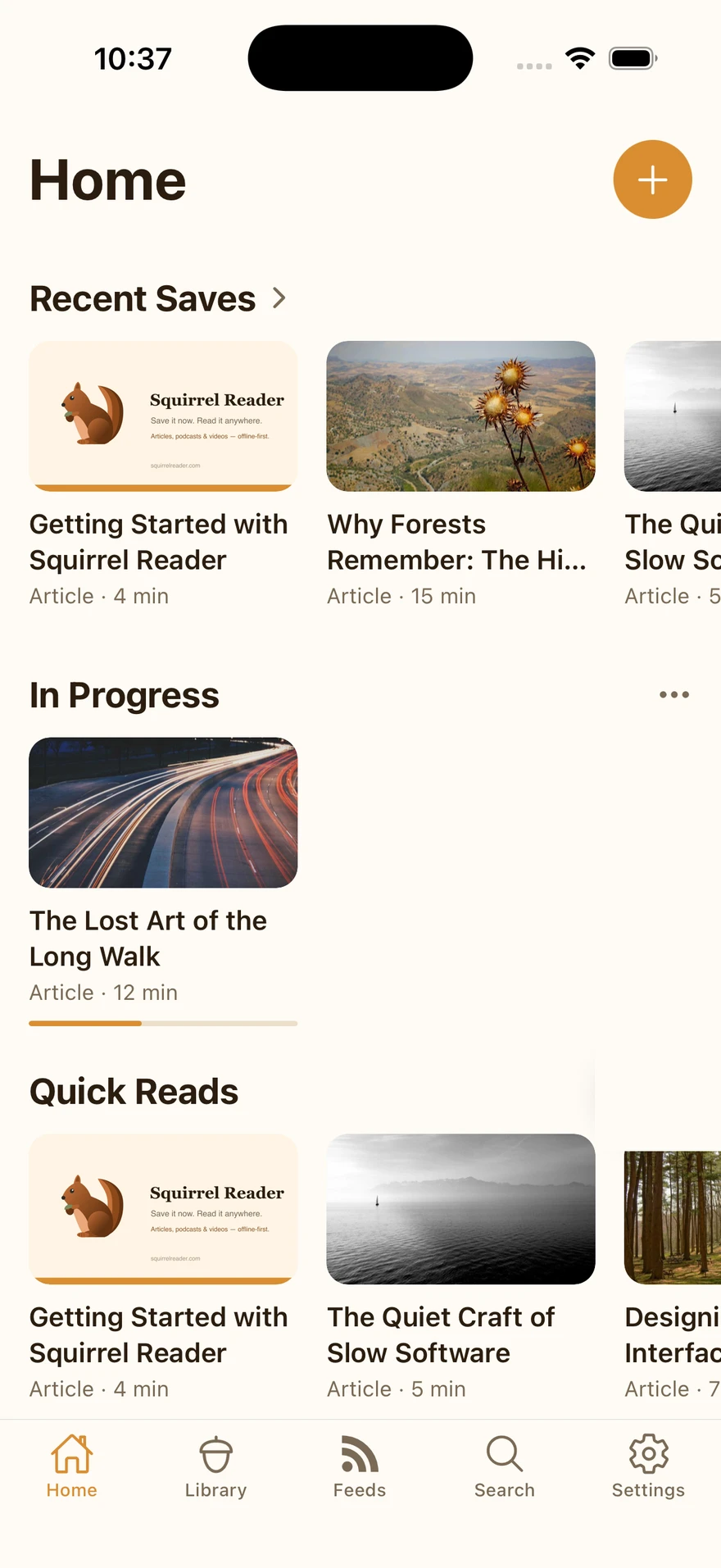
A Home screen that knows what you actually read
The Home tab is a set of shelves — Recent Saves, In Progress, Quick Reads, Long Form, From the Feeds, Continue Listening, and more — and every one is optional. Reorder them, hide what you never check, and switch to Compact layout to trade big artwork for more shelves on screen at once. A short survey at signup arranges the first pass for you; everything after that is yours to rearrange.
A tidy stash
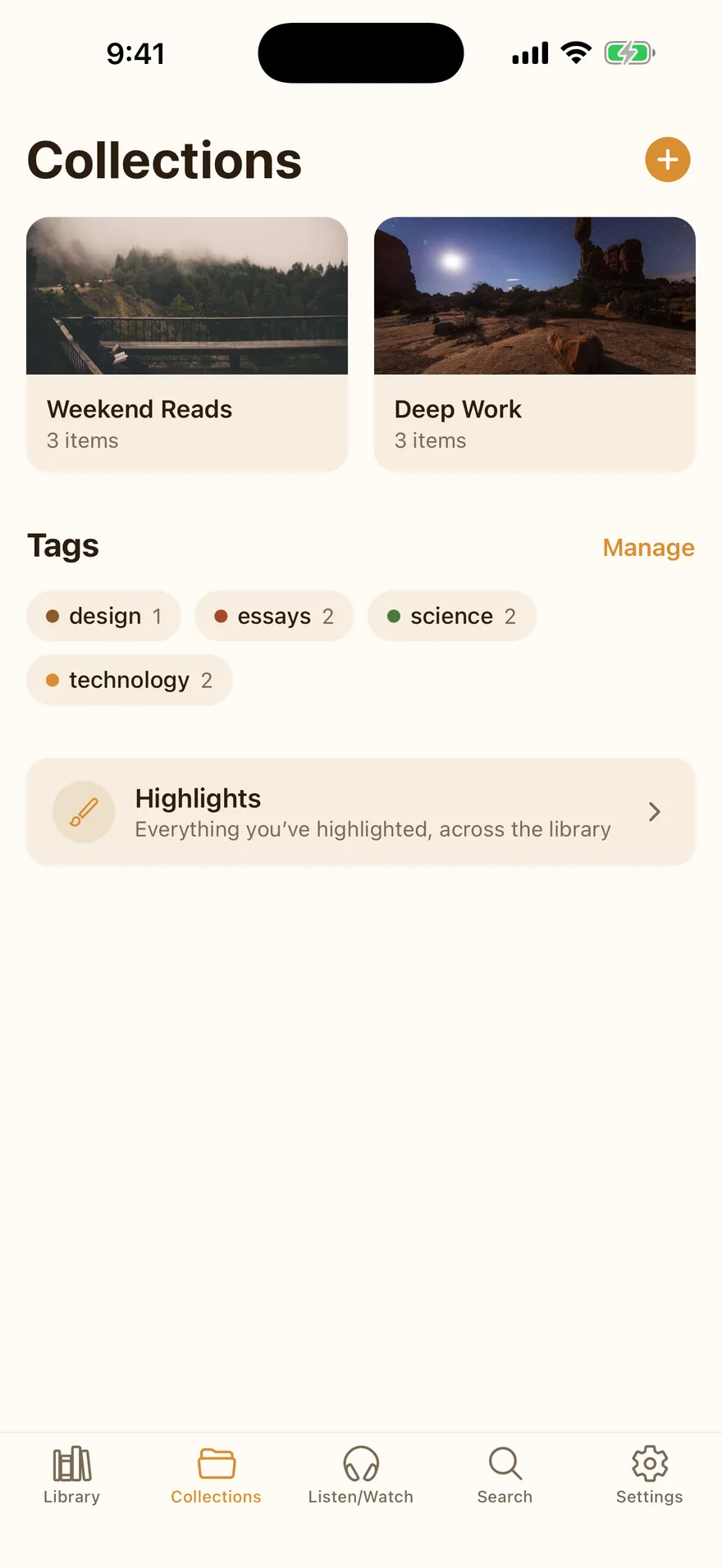
Collections, tags, and an inbox that stays calm
File items into collections (an item can live in several), tag them with autocomplete, favorite them, or jot a note on the whole item. Not ready to decide? Send it to Stash — out of the inbox but still close at hand — instead of archiving it outright. Tags can be renamed and merged as your system evolves, and Library’s Inbox, Stash, Archive, Favorites, and Downloads views, plus swipe gestures, keep triage fast.
Tune the type
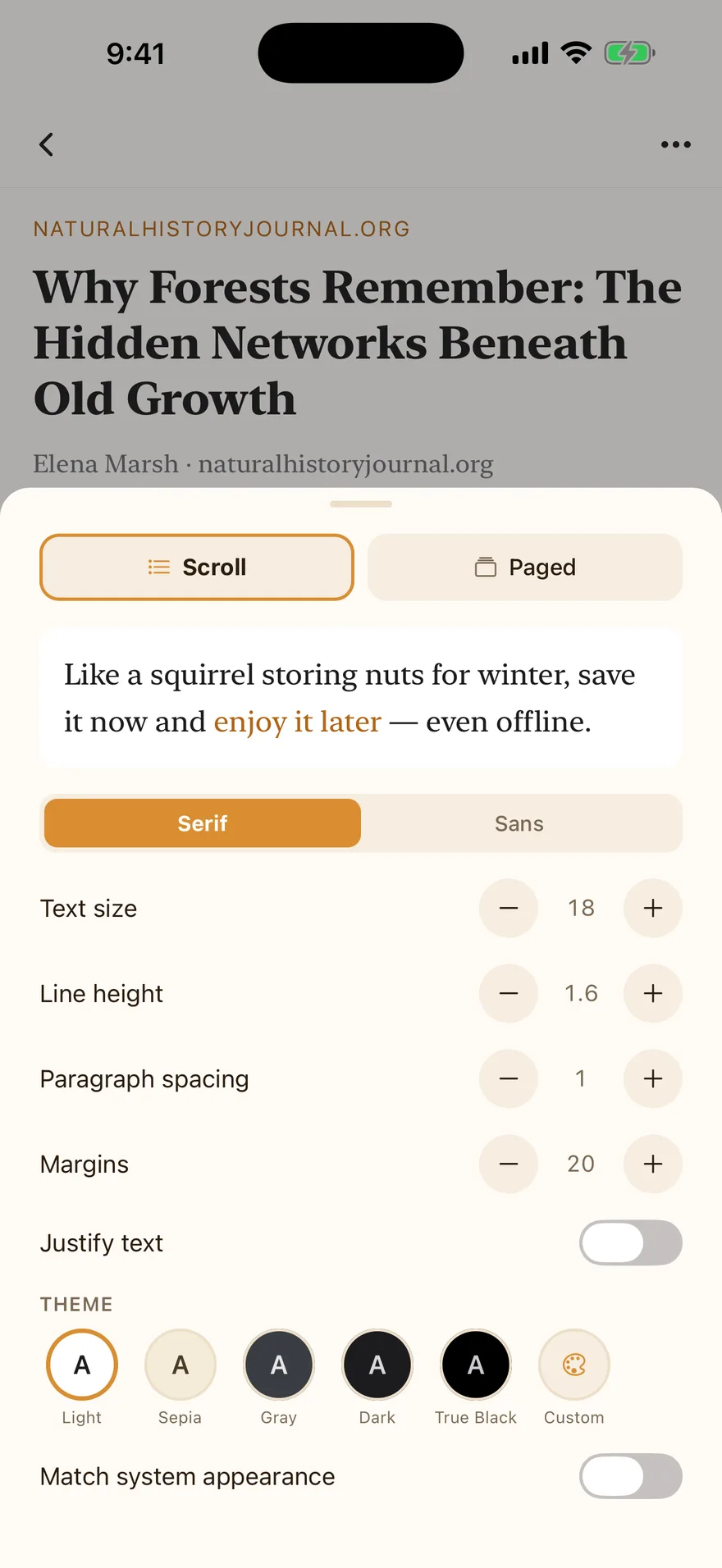
Typography controls that would make a book designer nod
The Aa panel adjusts everything live: font family, text size, line height, paragraph spacing, margins, and justification. Five accessibility-checked themes ship free; Premium adds a custom theme builder with your own background, text, and accent colors. Reader defaults sync, so a new device feels familiar immediately.
Easy on the eyes
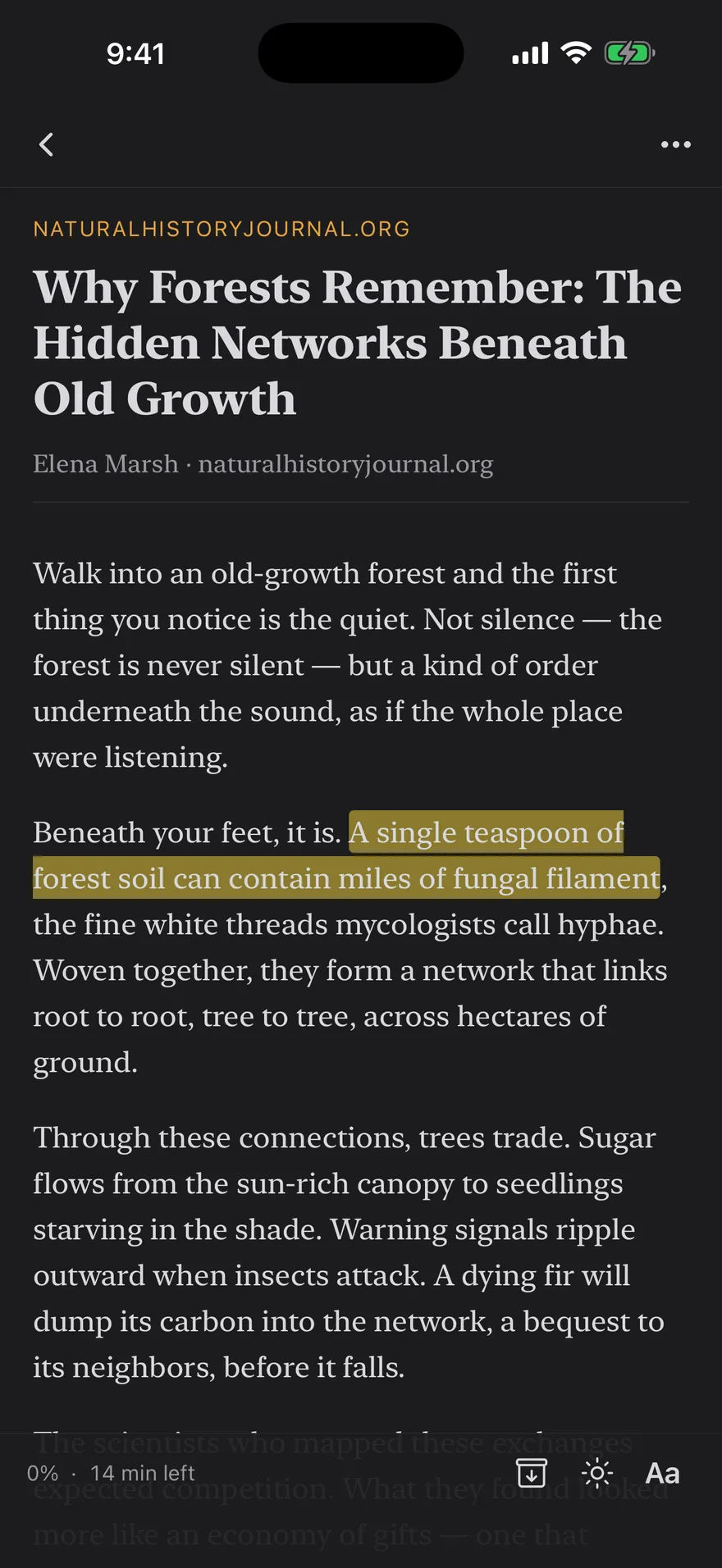
Warm in the light, quiet in the dark
The whole app follows your system appearance with a warm, autumnal palette in both modes — and the reader adds True Black for OLED night reading.
And the rest of the stash
Everything else in the tree
Save from anywhere
Native iOS share sheet, a Chrome extension for the desktop, clipboard detection, or paste a URL — items land parsed and readable. Paywalled or login-gated page? Sharing it from a signed-in browser tab saves the real article, not a stub.
One library, many types
Articles, videos, podcast episodes, newsletters, recipes, books, PDFs, and web links live side by side with type badges, durations, and progress.
Bring your own books
Upload EPUBs and PDFs with the in-app picker, or open them straight from Files or Mail. Books get the full reader, PDFs a native page viewer — 100 MB of storage free, 10 GB with Premium.
Recipes worth cooking from
Save a recipe and get scalable servings, Metric or US units, checkable ingredients, and a hands-free step-by-step Kitchen mode — plus your own photos of how it turned out.
Ask the article
On iOS 26+, Apple Intelligence can summarize any saved item, pull out key points and questions worth sitting with, or answer questions about it in a grounded chat — all on-device.
Send to Kindle
Premium delivers articles to your Kindle as clean EPUBs — one tap, or automatically for every new save.
Import in minutes
Bring your Pocket, Instapaper, or Omnivore export file; the format is auto-detected and everything is parsed fresh.
Never locked in
Export your entire library — items, tags, collections, highlights — as JSON, anytime, on any tier.
Offline downloads
Podcast episodes and videos download for offline playback, with Wi-Fi-only rules and a storage dashboard.
Know your reading habits
A private Reading Stats screen totals your reading, listening, and watching time — today and over the last week — with nothing sent anywhere to make it.
Sign in your way
Apple, Google, or email. Deleting your account in-app erases everything, including your marketing contact.
Calm by design
No algorithmic feed, no engagement mechanics, no badges begging you back. The app is done when you are.
Private by architecture
We don’t know what you read. That’s the point.
Squirrel Reader ships with zero analytics, ad, or crash-reporting SDKs — you can hold us to that, it’s verifiable in the app binary. AI summaries, key points, and podcast transcription run on your device, not in a cloud. Deleting your account actually deletes your data. The whole story is in our plain-English privacy policy.
Pricing
Free to start. Premium for hoarders.
Free
$0
- Up to 500 saved items
- Full reader, all five themes
- Offline library & sync
- 50 highlights per month
- 3 collections, unlimited tags
- 10 stored downloads
- 100 MB of EPUB & PDF storage
- Search titles, tags, notes & transcripts
- Podcast player & subscriptions
- RSS feeds & newsletters, uncapped
- Imports, JSON export
Premium
$4.99/month
or $39.99/year
- Everything in Free, plus:
- Unlimited items, collections & highlights
- Full-text search inside articles & books
- Custom reader theme builder
- Unlimited downloads
- 10 GB of EPUB & PDF storage
- Highlight export as Markdown
- Send to Kindle — one-tap & auto-send
Billed through the App Store. Cancel anytime. Prices may vary by region. No ads on either plan — ever.
FAQ
Fair questions
Is Squirrel Reader free?
Yes. The free plan is a fully working app: up to 500 saved items, unlimited RSS feed subscriptions, 3 collections, 50 highlights per month, 10 stored downloads, 100 MB of uploaded EPUB & PDF storage, the complete reader with all five themes, offline sync, and on-device search. Premium ($4.99/month or $39.99/year) removes the limits and adds full-text search inside every article and book, the custom theme builder, Markdown highlight export, Send to Kindle, and 10 GB of file storage.
Does it really work offline?
Yes — offline is the default, not a fallback. Your whole library is stored on the device, so reading, saving, searching, tagging, and highlighting work with no connection at all. Changes sync automatically when you reconnect.
What platforms are supported?
Squirrel Reader is available for iPhone and iPad on the App Store, with a Chrome extension for saving from the desktop. An Android app is in development.
Can I import from Pocket, Instapaper, or Omnivore?
Yes. Settings → Import accepts export files from all three services, auto-detects the format, preserves tags and archive state where the source includes them, and skips duplicates so re-running an import is safe.
Can I read my own ebooks and PDFs?
Yes. Upload EPUB or PDF files from the library, or open them with Squirrel Reader straight from Files or Mail. EPUBs get the complete reading experience — typography controls, all themes, paged mode, highlights, and synced progress — and PDFs open in a native page viewer that remembers your page across devices. The free plan includes 100 MB of file storage; Premium includes 10 GB, with single files up to 50 MB. DRM-protected EPUBs can’t be opened, and the app says so honestly instead of failing halfway.
Can I subscribe to RSS feeds and newsletters?
Yes, from the Feeds tab — any blog, newsletter, or podcast with an RSS URL. Subscriptions default to manual, so new entries show up as browsable metadata and only become full library items when you tap to add one; flip a feed to auto-add if you would rather every new post or episode arrive automatically. Feed subscriptions do not count against the free plan item cap.
Can I save recipes?
Yes. Saving a URL with a recipe on it (most recipe sites carry the structured data that makes this possible) gives you a dedicated recipe view: scalable servings, Original/Metric/US units, checkable ingredients, numbered steps, and a full-screen Kitchen mode for cooking hands-free. You can add your own photos too — 50 MB of photo storage free, 1 GB with Premium.
Does Squirrel Reader track me?
No. The app contains no analytics, advertising, or crash-reporting SDKs — verified in code, not just promised. AI features — summaries, key points, questions, asking the article something directly, and podcast transcription — run on-device on iOS 26+, so your article text and audio never leave your phone.
How does Send to Kindle work?
With Premium, add your @kindle.com address once, approve kindle@squirrelreader.com in your Amazon settings, and any article can be delivered as a clean EPUB — one tap from the reader, or automatically for every new article you save.
Winter is long. Start stashing.
Free on the App Store — your first 500 saves are on us.
Download Squirrel Reader